Four stores. One click apart.
Choose the interior that fits what you sell. Every skin changes the floor, walls, ceiling, shelving, light and decor, and keeps your aisles, products and settings exactly as they are.
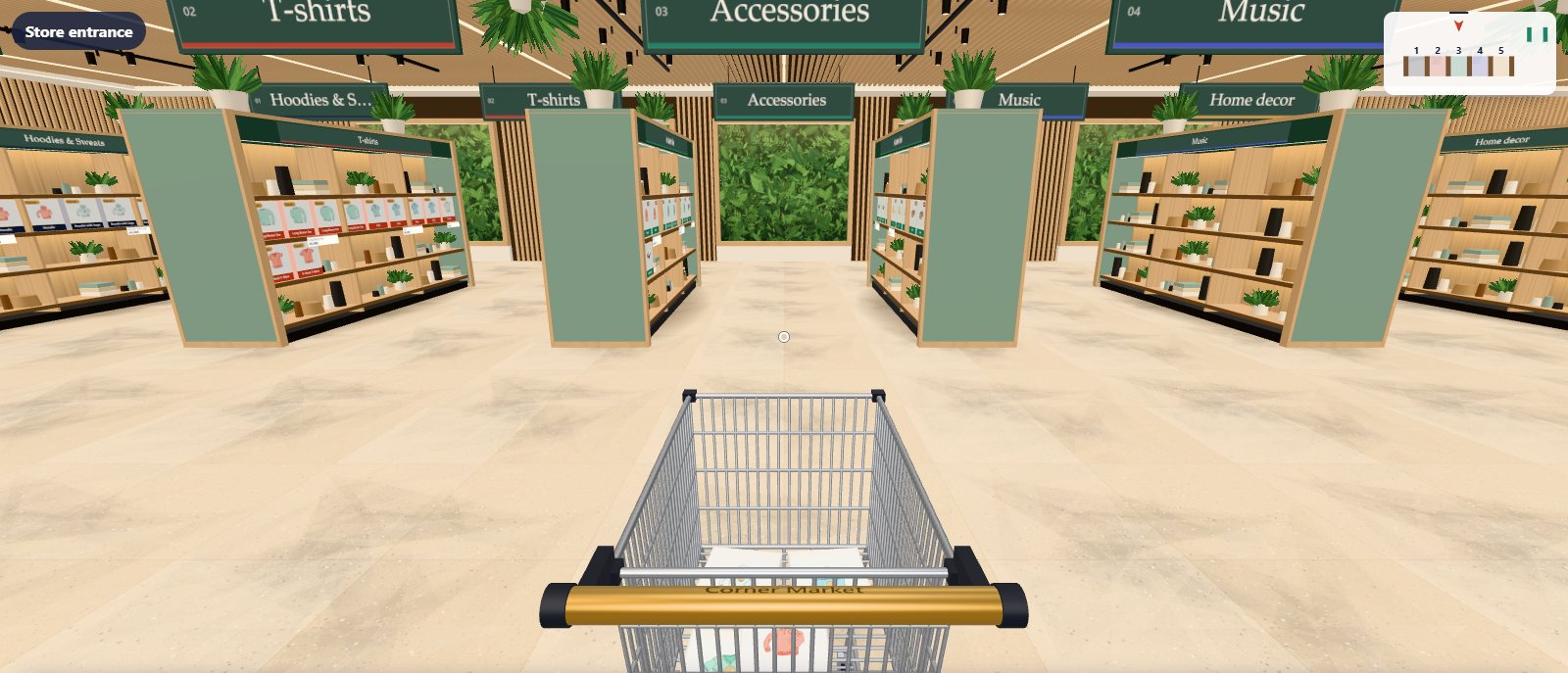
Boutique
A warm interior for any shop: lit oak shelving, a slatted oak ceiling, living plant walls and olive trees.
See Boutique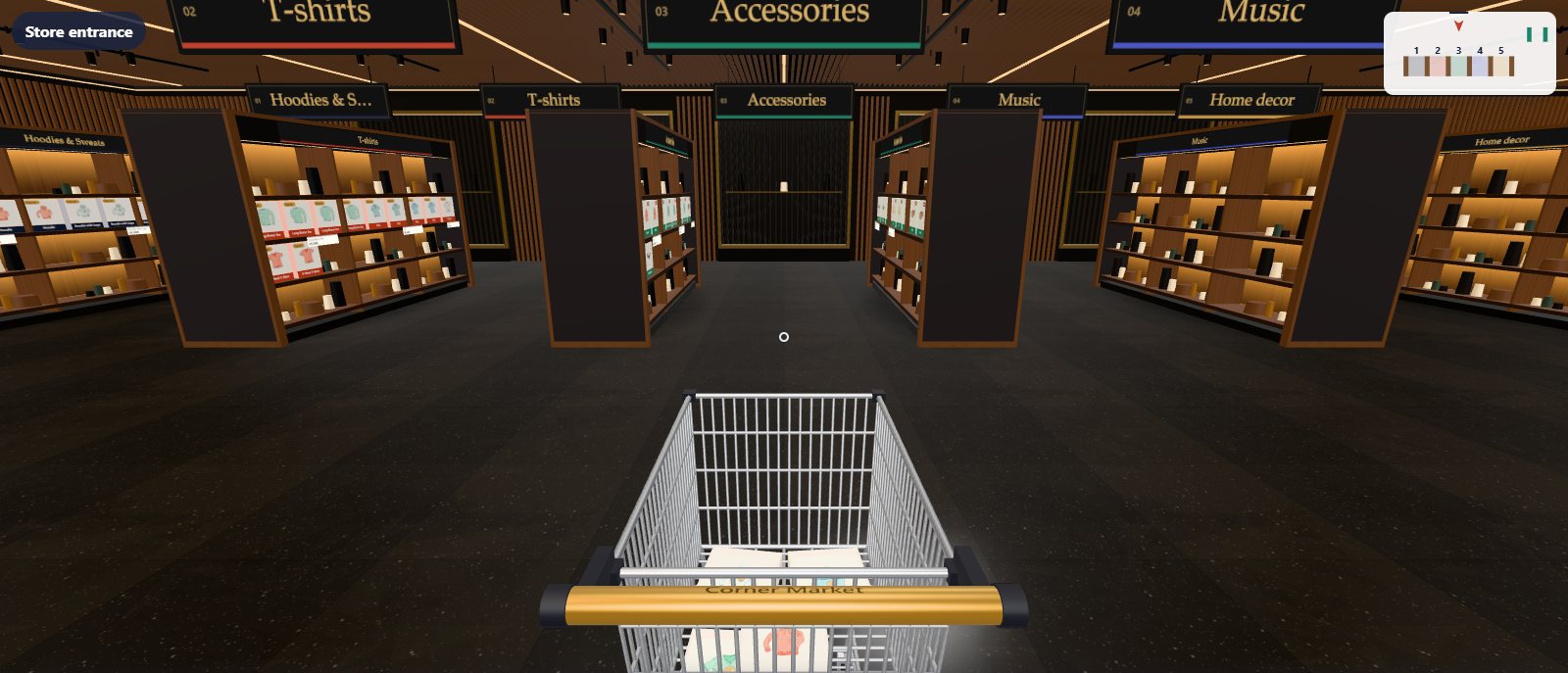
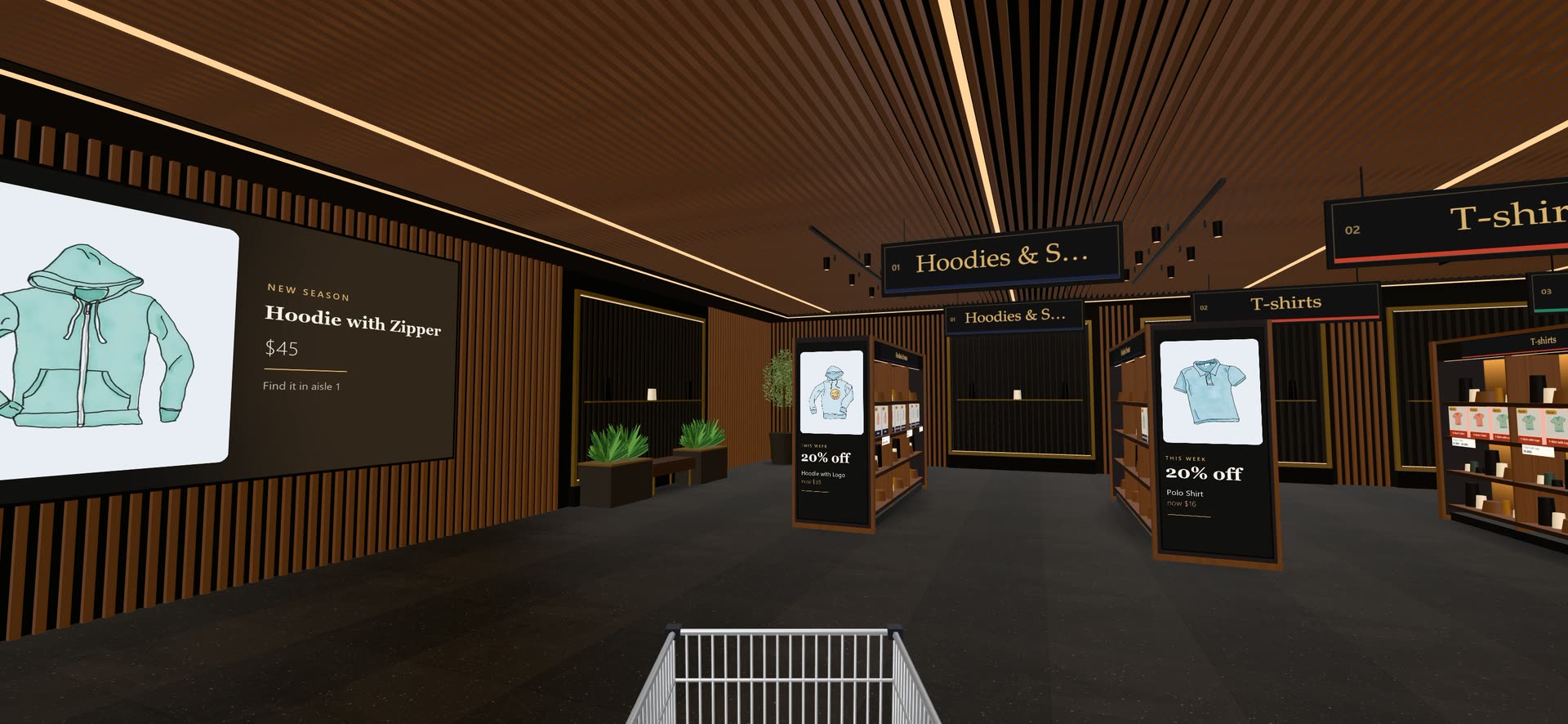
Noir
Dark walnut, brass-framed fluted panels and warm, low light that makes products glow.
See Noir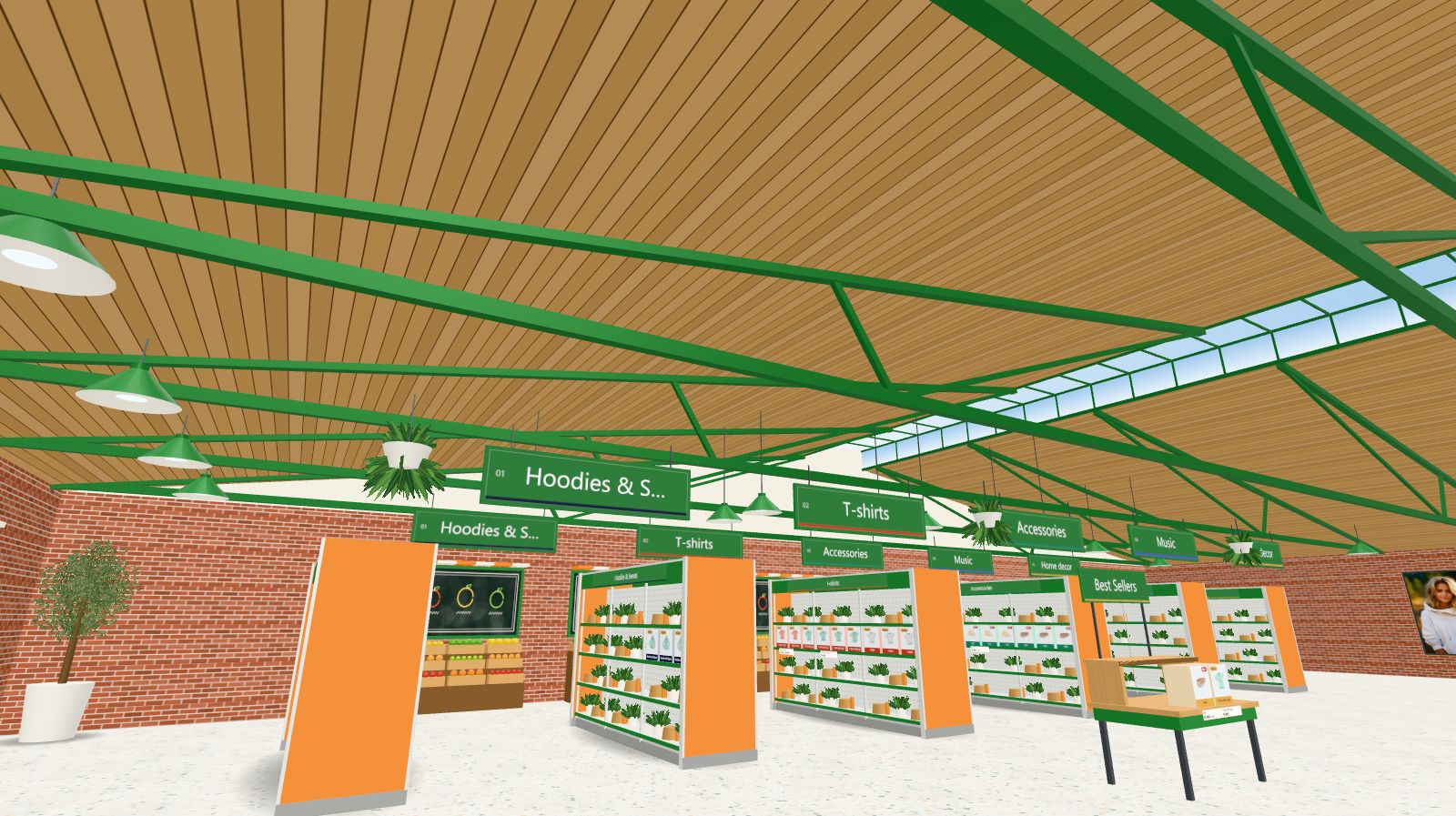
Fresh Market
A market hall: a pitched timber roof on green iron trusses, red brick, produce stands and enamel pendants.
See Fresh Market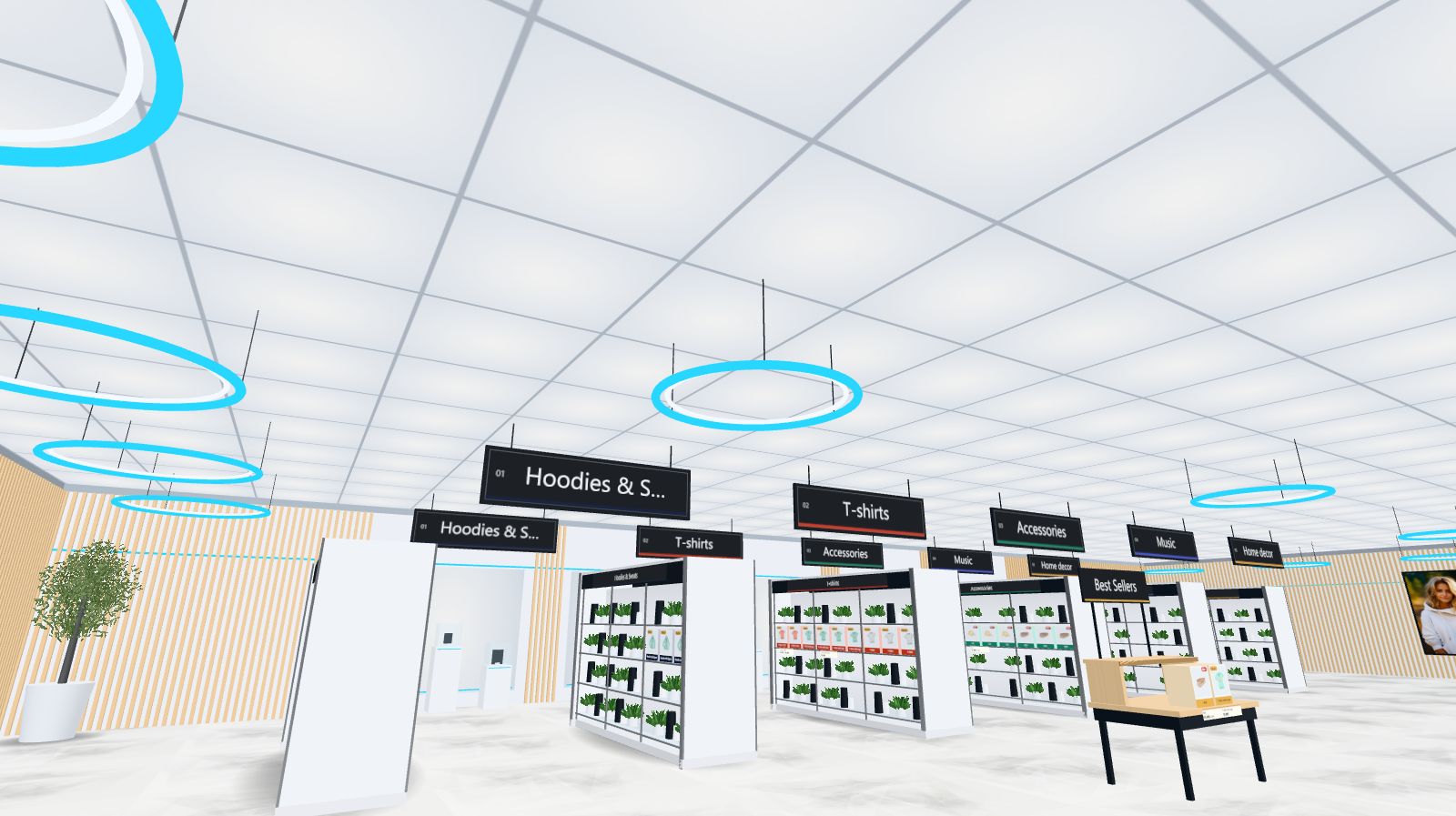
Studio
A light showroom: a glowing ceiling grid, halo rings, oak slat walls, glass shelving and lit display plinths.
See StudioDrag to switch the look
A skin changes the whole interior: floor, walls, ceiling, shelving, light and decor. Your aisles, products and settings stay exactly as they are.
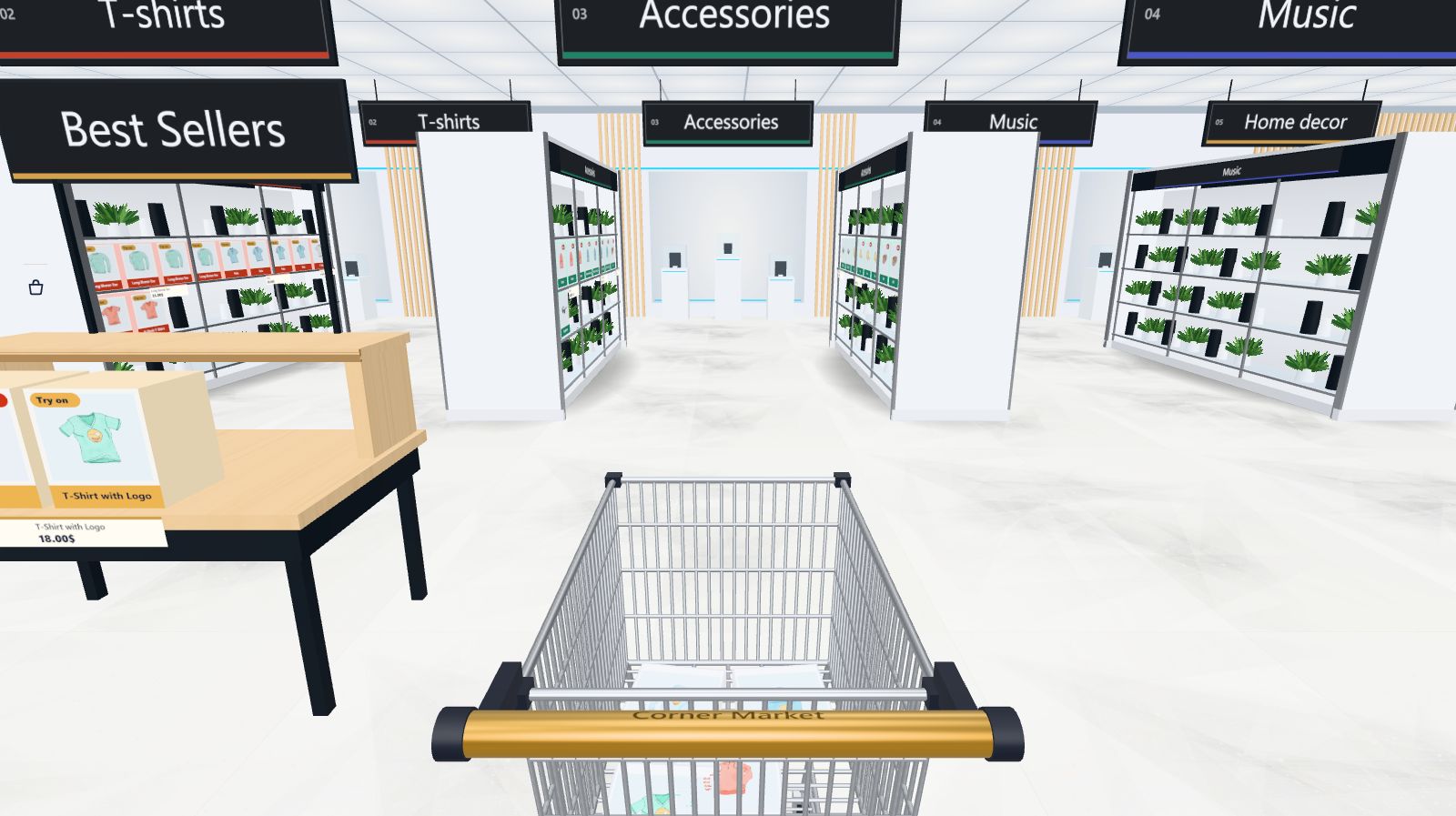
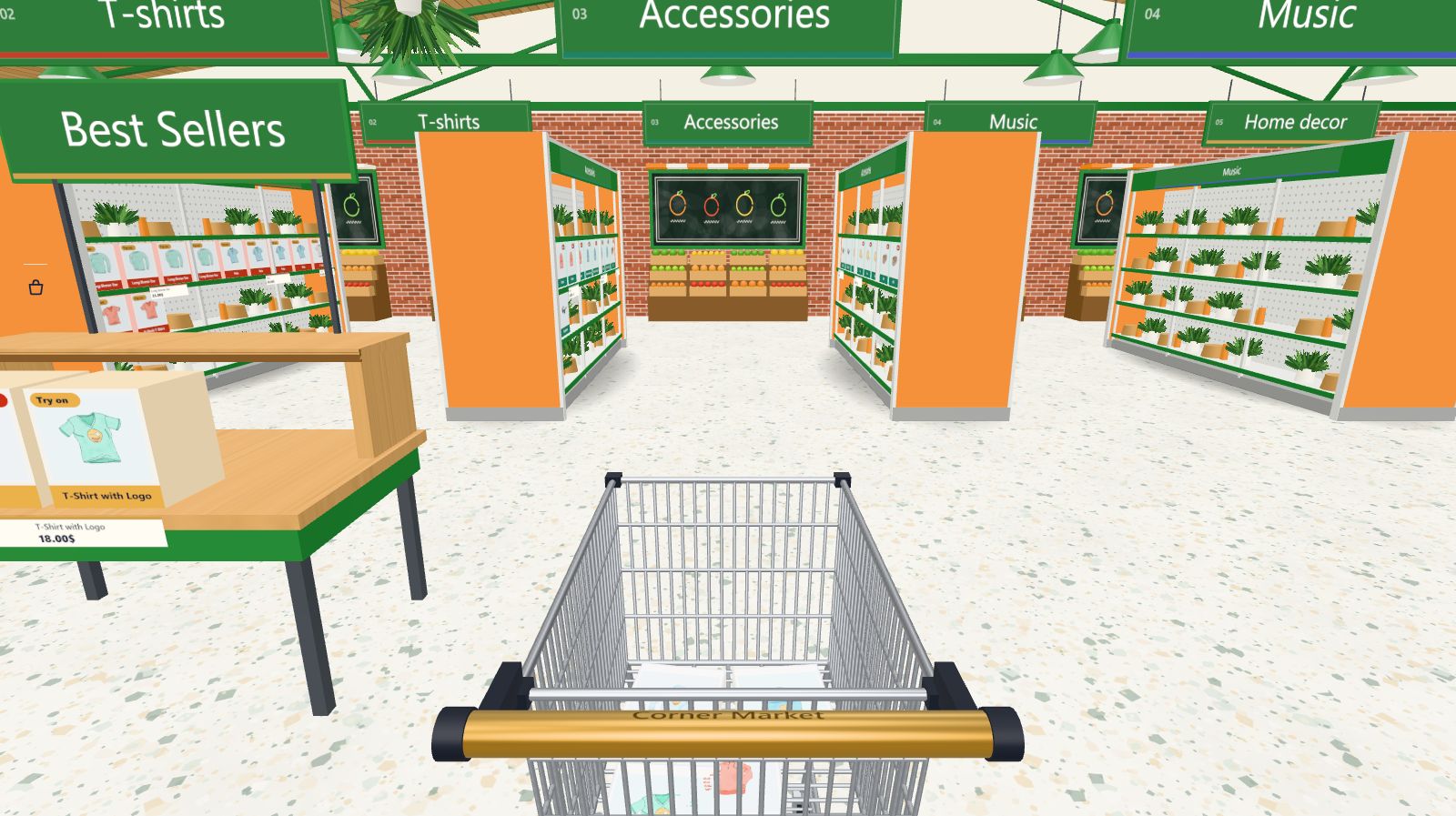 Fresh Market
Studio
Design data, not code
Every skin, side by side
| Boutique | Noir | Fresh Market | Studio | |
|---|---|---|---|---|
| Best for | Any shop: fashion, home, gifts, beauty | Fashion, jewellery, luxury, beauty | Grocery, food, deli, farm shops, drinks | Electronics, gadgets, design, audio, cameras |
| Floor | Honed pale stone tiles | Polished dark stone | Light terrazzo | Large pale stone tiles |
| Walls | Oak slats | Dark plaster | Red brick | Light oak slats |
| Ceiling | Slatted oak with linear lights | Dark slats, warm light | Market hall: timber roof, iron trusses, glazed lantern | Light grid with halo rings |
| Shelving | Light oak, lit shelves | Dark walnut, warm glow | White steel, pegboard, green price rails | Glass on chrome, lit white spine |
| Feature walls | Living plant walls | Fluted panels in brass frames | Produce stands with chalkboards and awnings | Display plinths, light box, neon line |
| Signs | Forest green, serif | Black with gold serif | Green, bold sans-serif | Graphite, sans-serif |
| Plan | Free | Pro | Pro | Pro |
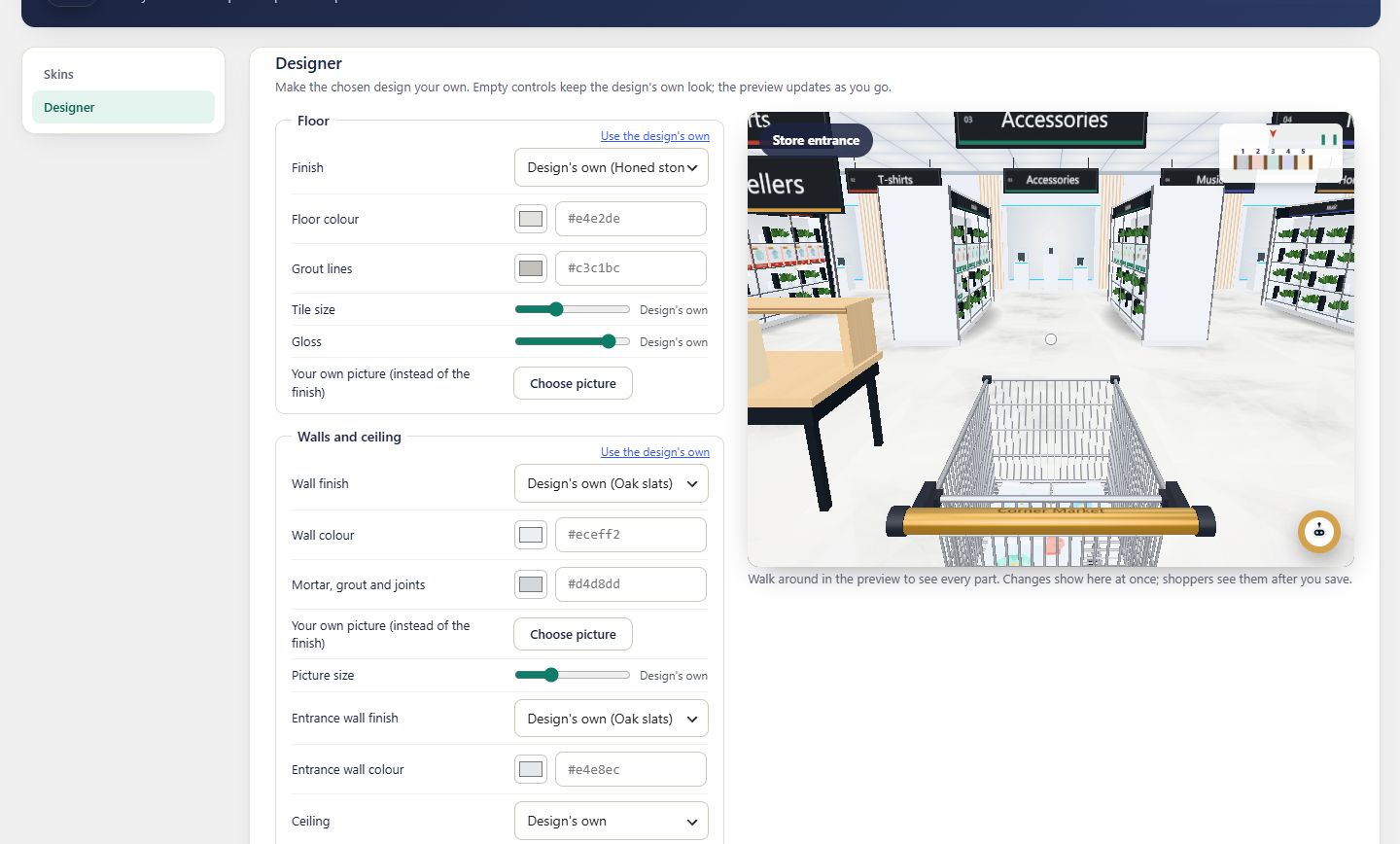
Or design your own
Start from any skin, then change the floor, walls, ceiling, shelving, light and decor in the store designer, with a live 3D preview. Put your own pictures on the floor and walls.
Good to know
Do I lose my settings when I switch skins?
No. Aisles, products, merchandising and branding stay. The store designer’s changes are kept wherever they still apply.
Can I preview a skin before switching?
Yes. Each skin has a Preview link in Store designer → Skins that opens your own store in that skin, for you only.
How do new skins arrive?
Pro members sign in here and download a skin as a small .zip, then upload it in Aisleza → Store designer → Skins → Add a skin. No plugin update needed, and the plugin stays light. Every Pro plan includes every skin, including new ones. See Add skins.
Is Boutique really free?
Yes. Boutique comes with the free plugin and is a complete, polished store design.
 Ready when you are
Give your shoppers
somewhere to go
Start free with the walk-in store. Add Pro for every skin, Ava, camera views and merchandising.