The best 3D virtual store plugins for WooCommerce in 2026
Want shoppers to walk through your WooCommerce shop in 3D? Here is every plugin that does it today, what each one is really like, and which one suits which shop. Plus how they differ from 3D product viewers.
A 3D virtual store turns your shop into a place people walk through: aisles, shelves, products they can pick up and put in a trolley. A 3D product viewer does something different: it lets shoppers spin one product on its product page. Both get called “3D for WooCommerce”, which is why the search results are so confusing.
This guide is about the first kind: plugins that let shoppers walk your whole WooCommerce shop in 3D. There are only a few, and they are very different from each other.
How we compared them. We make Aisleza, so we have a stake here, and we've tried to be fair. Every fact about the other plugins comes from their own WordPress.org listings, checked in November 2026. We installed WooBaba 3D Gallery on a test shop and walked through it. We did not test WalkTheWeb hands-on, because it needs an account on its own service; what we say about it comes from its listing. If anything here is out of date, tell us and we'll fix it.
The short answer#
| Aisleza | WooBaba 3D Gallery | WalkTheWeb | |
|---|---|---|---|
| What shoppers get | A walk-in store: your categories as aisles, products on shelves, a checkout counter | A gallery corridor of product posters | A 3D building in WalkTheWeb's online 3D world |
| Where it lives | A page on your own site | A page on your own site | Hosted on walktheweb.com |
| 3D models needed | No, uses your product photos | No, uses your product photos | No |
| Cart | Your real WooCommerce cart, inside the store | Your WooCommerce cart, inside the gallery | Links to your product pages and cart |
| Find products | Aisle drawer, search, store map, shelf wall and list views | Category drawer and search | Walk the building |
| Look | Boutique interior free; 8 more interiors and a store designer in Pro | Wall, floor and ceiling colours and textures | Choice of 3D buildings |
| Extras | Pro: Ava the shopping assistant, coupon hunt, seasonal decor, shopper insights | Floating "enter the showroom" button | Paid: multiplayer, custom domain, design services |
| Price | Free; Pro from $99/year | Free | Free; optional paid services |
| Other platforms | Shopify, Wix, BigCommerce, Magento, PrestaShop, OpenCart, Shopware, Squarespace | WooCommerce only | WooCommerce plugin; the service itself is separate |
| Last updated (Nov 2026) | November 2026 | September 2026 | April 2025 |
1. Aisleza: a full walk-in store from your catalogue#
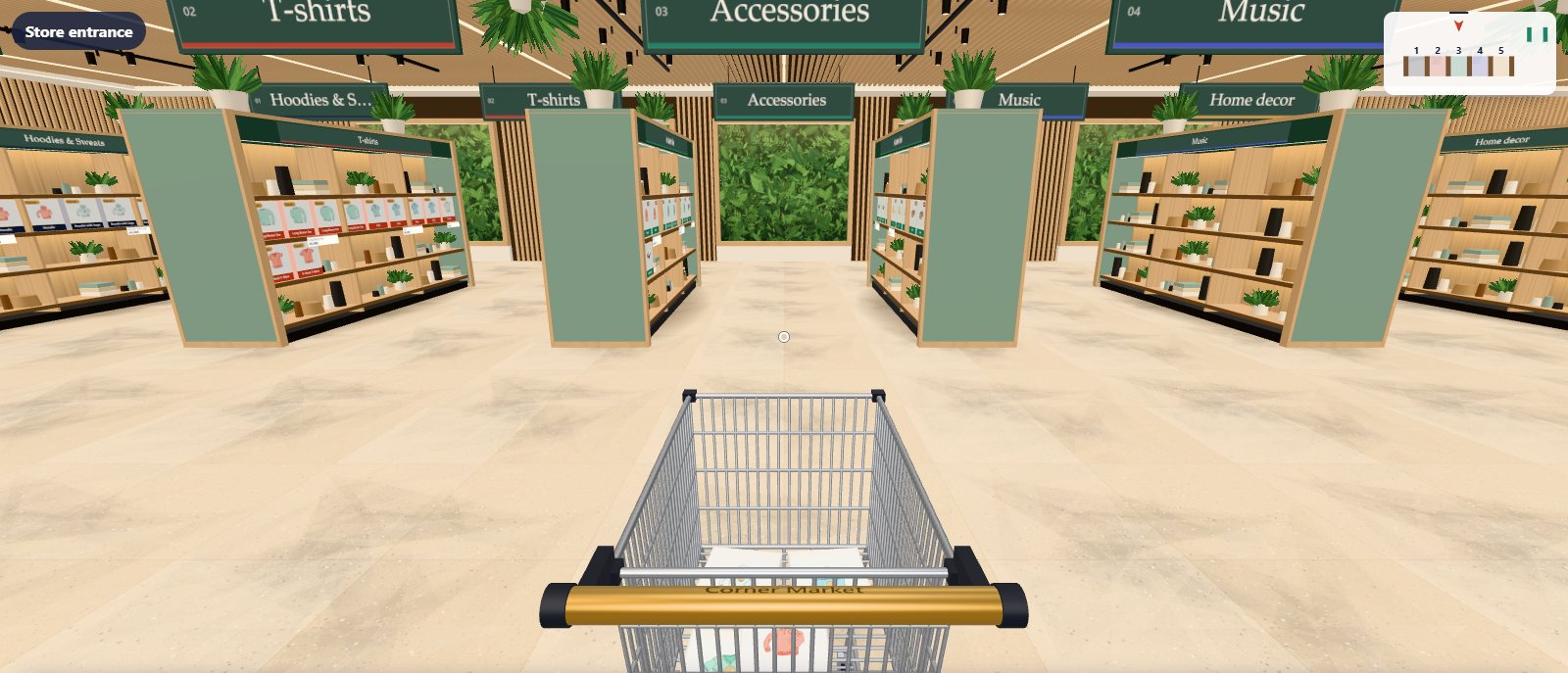
Aisleza builds a store that looks and works like a real shop. Each of your categories becomes an aisle, your products stand on lit shelves with price tags, and shoppers push a trolley that is your real WooCommerce cart. When they’re done, they walk to the checkout counter and pay at your normal checkout, so your payment methods, shipping and taxes all stay as they are.
Shoppers move with the keyboard, mouse, touch or an on-screen joystick on phones. If they’d rather not walk, there’s a store map, a shelf wall and a plain list view, plus an aisle drawer and search. The free plugin is the complete store, not a trial, and its 3D code loads only on the store page.
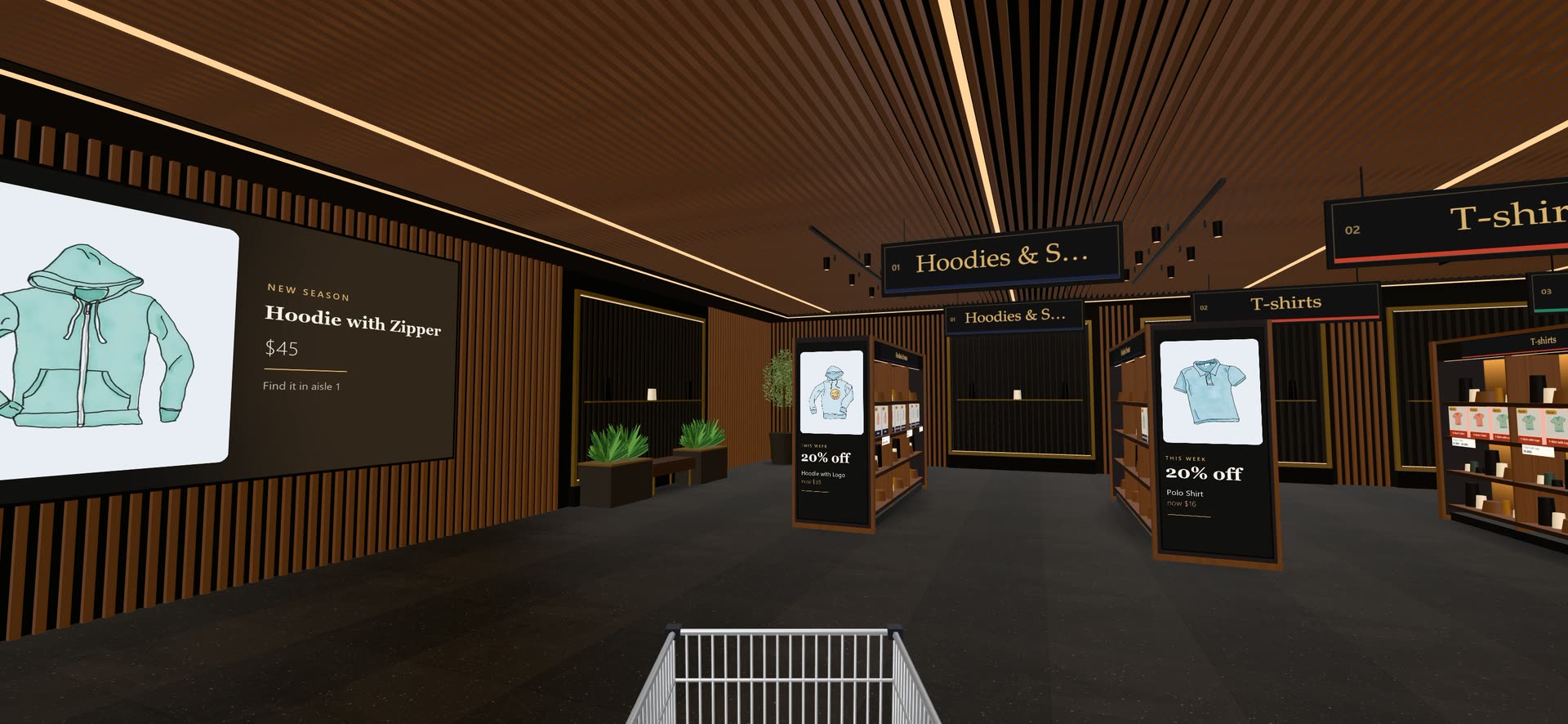
Aisleza Pro (from $99 a year) adds eight more interiors (from a dark walnut boutique to a market hall and a kids’ playroom), Ava, a shopping assistant who walks shoppers to the right shelf, a golden box coupon hunt, seasonal makeovers, promo tables and aisle-end displays, shopper insights with a floor heatmap, and real 3D models on the shelves if you have them.
Best for: shops that want their whole catalogue as a store people enjoy walking through, using the cart and checkout they already have. Also the only option here that works on platforms other than WooCommerce.
Walk the live demo · Free plugin on WordPress.org
2. WooBaba 3D Gallery: a free gallery walkthrough#
WooBaba 3D Gallery (WordPress.org name: Baba 3D Gallery) turns your products into double-sided poster kiosks in a 3D gallery, built from your product photos. Shoppers walk the corridor, double-click a poster to glide up to it, and open a panel with the description, options such as size and colour, and an Add to cart button that uses your WooCommerce cart. A category drawer and search sit at the side, and you can set wall, floor and ceiling colours or textures. Like Aisleza, it loads its 3D code only on its own gallery page.
What we saw on our test shop: a clean corridor of posters with the cart total in the corner, and a product panel that worked well. It’s a single gallery space rather than a store layout, so it suits a smaller range better than a large catalogue. On a phone, the menu takes the top of the screen above the 3D view.
Best for: a free, simple 3D gallery of a small product range, on WooCommerce only. It is new (first published in September 2026), so expect it to change.
3. WalkTheWeb: your shop as a building in a 3D world#
WalkTheWeb takes a different approach. Instead of a store page on your own site, it creates a 3D building for your shop on WalkTheWeb’s own service (at 3d.walktheweb.com), which can sit inside its 3D “communities” of games, rides, homes and other stores. The building shows your products, short descriptions, prices and categories, and links shoppers to your product pages and cart (in a new tab or a frame) to buy. A setup wizard in the plugin gets you started, and WalkTheWeb’s own website handles the full customisation.
The service is free; WalkTheWeb sells optional extras such as multiplayer, a custom domain for your 3D site and design services. The plugin was last updated in April 2025 and lists WordPress 6.8 as the latest version it was tested with.
Best for: shops that like the idea of a gaming-style 3D world and being discovered inside it, and don't mind shoppers buying on the normal product pages.
What about 3D product viewers?#
You’ll find many more WooCommerce plugins when you search for “3D”: 3D Viewer (by bPlugins, the most widely installed, 9,000+ sites), Visody, Thridify, Trimora and others. These are 3D product viewers: they put a 3D model of one product on its product page so shoppers can spin it, zoom in, or view it in their room with AR.
They’re excellent at that job, but they don’t create a store to walk through, and they need a 3D model file (usually .glb) for every product you show. If you sell a few hero products and have the 3D files, a viewer is a good choice. If you want shoppers to browse your whole range in 3D, you need a virtual store, and the two work well together: Aisleza Pro can put the same .glb models on its shelves.
Older plugins to avoid#
You may still find Virtual Shop for WooCommerce in searches. It was last updated in 2018, was tested only up to WordPress 4.8, and needs a registration on an outside service, so it’s best avoided on a modern site.
How to choose#
- You want your whole shop as a 3D store, on your own site, with your normal checkout: Aisleza. Start with the free plugin and see your own products on the shelves in a few minutes.
- You want a free, simple 3D gallery for a small range: WooBaba 3D Gallery.
- You want a presence in a gaming-style 3D world: WalkTheWeb.
- You want shoppers to spin one product in 3D or AR: a 3D product viewer such as 3D Viewer or Visody.
Whatever you pick, try it on a staging copy of your shop first, and walk through it on a phone, where most shoppers will see it.
Questions people ask
Is there a free 3D virtual store plugin for WooCommerce?
Yes. Aisleza (free on WordPress.org), WooBaba 3D Gallery and WalkTheWeb are all free to use. Aisleza’s free plugin is the full walk-in store; its paid Pro add-on adds extra interiors, a shopping assistant and merchandising tools. WalkTheWeb sells optional extras such as multiplayer and a custom domain.
Do I need 3D models of my products to build a 3D store?
No. Aisleza and WooBaba both build the store from the product photos you already have in WooCommerce. You only need 3D model files (.glb) for a 3D product viewer, or if you want real 3D products on the shelves (an Aisleza Pro option).
Will a 3D store slow down my WooCommerce site?
It shouldn’t, if the plugin loads only where the store is. Aisleza and WooBaba both load their 3D code only on the store page, so your home page, product pages and checkout stay as fast as before.
Can shoppers buy from inside the 3D store?
With Aisleza and WooBaba, yes: products go into your normal WooCommerce cart from inside the store, and shoppers pay at your usual checkout. WalkTheWeb links shoppers to your product pages and cart instead.
What is the difference between a 3D virtual store and a 3D product viewer?
A 3D virtual store is a whole shop shoppers walk through, with your categories as aisles. A 3D product viewer shows one product as a 3D model they can spin on its product page. They do different jobs and work well together.
More guides
- Virtual showroom software that builds itself from your catalogMost virtual showroom software asks for 3D models, a design project and a monthly fee before a single shopper walks in. Here's what to look …
- Shopify virtual store apps comparedLooking for a 3D or virtual store app for Shopify? Several well-known names have left the App Store, and the ones that remain work in very …
- 3D product viewer vs 3D virtual store: which does your shop need?Both get called "3D for your online shop", but they do very different jobs. One lets shoppers spin a single product; the other lets them …
- How to add a 3D virtual store to your WooCommerce shopA step-by-step guide to turning your WooCommerce shop into a 3D store shoppers walk through, using your existing products and photos. It …
- What does a virtual showroom cost? Options for small shops, comparedA virtual showroom can cost nothing or half a million dollars. Here's what each kind costs in 2026, from free plugins to custom agency …
 Ready when you are
Give your shoppers
somewhere to go
Start free with the walk-in store. Add Pro for every skin, Ava, camera views and merchandising.