Full screen and the floating toolbar
The store gets out of the way: a slim floating toolbar on the left, an aisle drawer that slides in when you need it, and buttons to fill the browser window or go full screen. On a 4K monitor it stays smooth.
Full screenSmooth on 4K
1click to fill the window
4Ksmooth with adaptive quality
Everyaisle one tap away
0clutter over the store
- A floating toolbar instead of a top bar: more store, less chrome
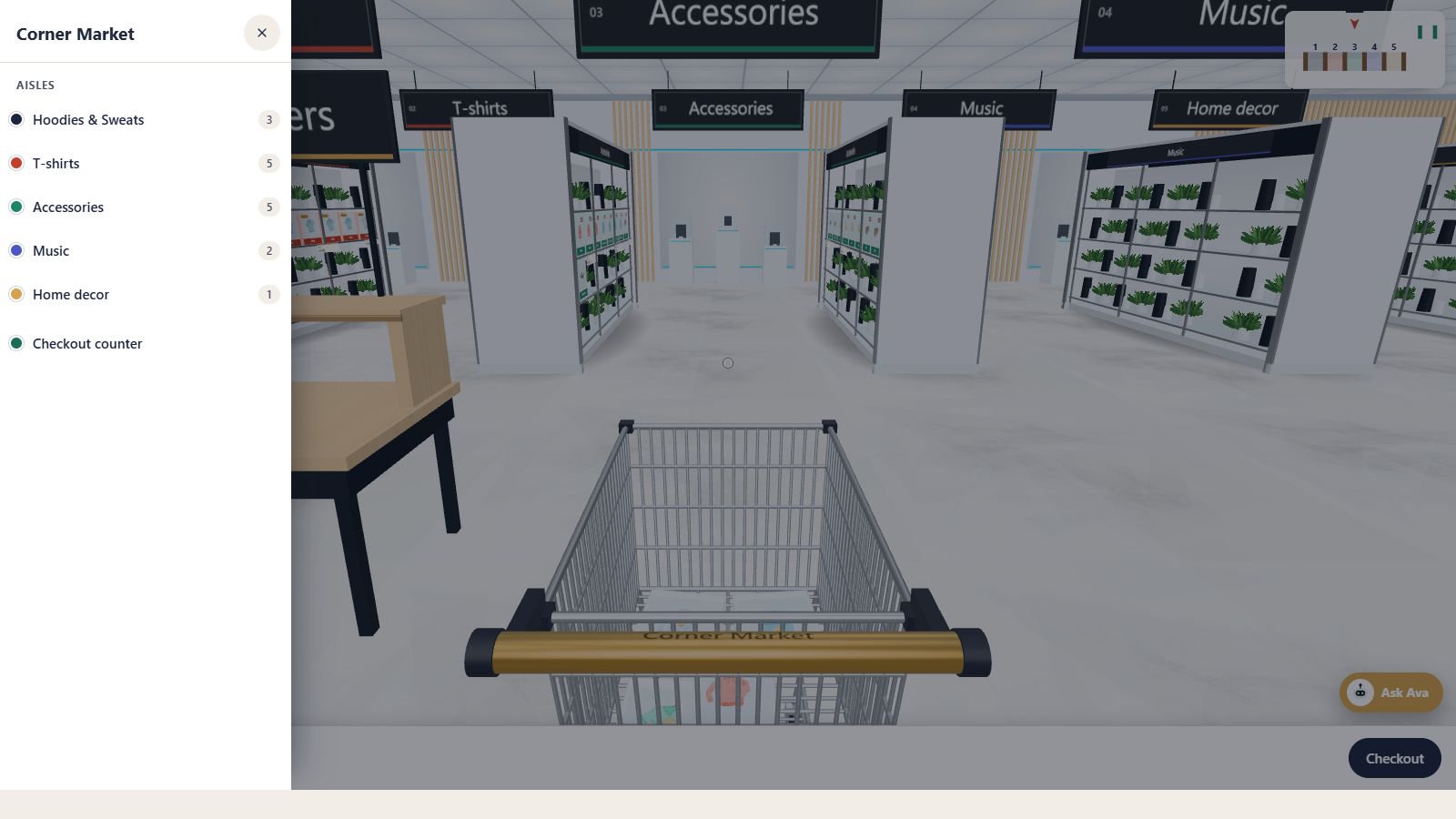
- Aisle drawer with every aisle, its colour and product count
- Jump straight to any aisle or to the checkout counter
- Fill the browser window, or full screen where the device allows
- A setting to open the store filling the window
- Adaptive quality keeps big screens smooth
Toolbar
Everything in one slim rail
The toolbar floats on the left edge of the store. Each button has a clear icon and a label on hover:AislesOpens the aisle drawer.
Store mapA floor plan to jump anywhere.
List viewA plain, accessible product list.
Fill / full screenMake the store as big as the screen.
Camera viewSwitch views (Pro).
Regular shopBack to your normal shop.
Aisle drawer
Find any aisle in a second
The drawer slides in from the left with your store name, every aisle with its sign colour and product count, and the checkout counter. Tap an aisle and the shopper is taken straight there.Size
As big as you want it
Shoppers can fill the browser window with one click, or go full screen on devices that allow it, and come back just as easily. You choose how the store opens: in its place on the page, or filling the window as soon as shoppers walk in.
Big screens are handled carefully. Aisleza keeps a pixel budget, measures how smoothly frames are drawn while the shopper moves and adjusts sharpness to match, so a 4K monitor in full screen stays fluid.
Keep exploring
Goes well with
 Ready when you are
Give your shoppers
somewhere to go
Start free with the walk-in store. Add Pro for every skin, Ava, camera views and merchandising.