Seasonal decorations
Dress the whole store for Christmas, Black Friday, Eid or Halloween in one click, on top of any skin, with your own line on the banner.
Every Pro planThis feature is part of Aisleza Pro. See the plans.
What each season adds#
| Season | In the store |
|---|---|
| Christmas | Two decorated trees with lights, baubles, a star and gifts by the entrance; a banner over the door; garlands along the side walls; baubles over the aisles; wreaths on the walls. |
| Black Friday | A black BLACK FRIDAY banner with your line under it; red, black and white bunting across the store; a SALE tag on every aisle; balloon clusters; sale posters on the walls. |
| Eid | A green and gold Eid Mubarak banner (or your line); glowing lanterns along the walls and at the aisle ends; gold crescent moons and stars over the aisles; big crescents on the walls. |
| Halloween | A Happy Halloween banner (or your line); jack-o’-lantern piles by the doors; orange, purple and black bunting; bats over the aisle ends; cobwebs on the walls. |
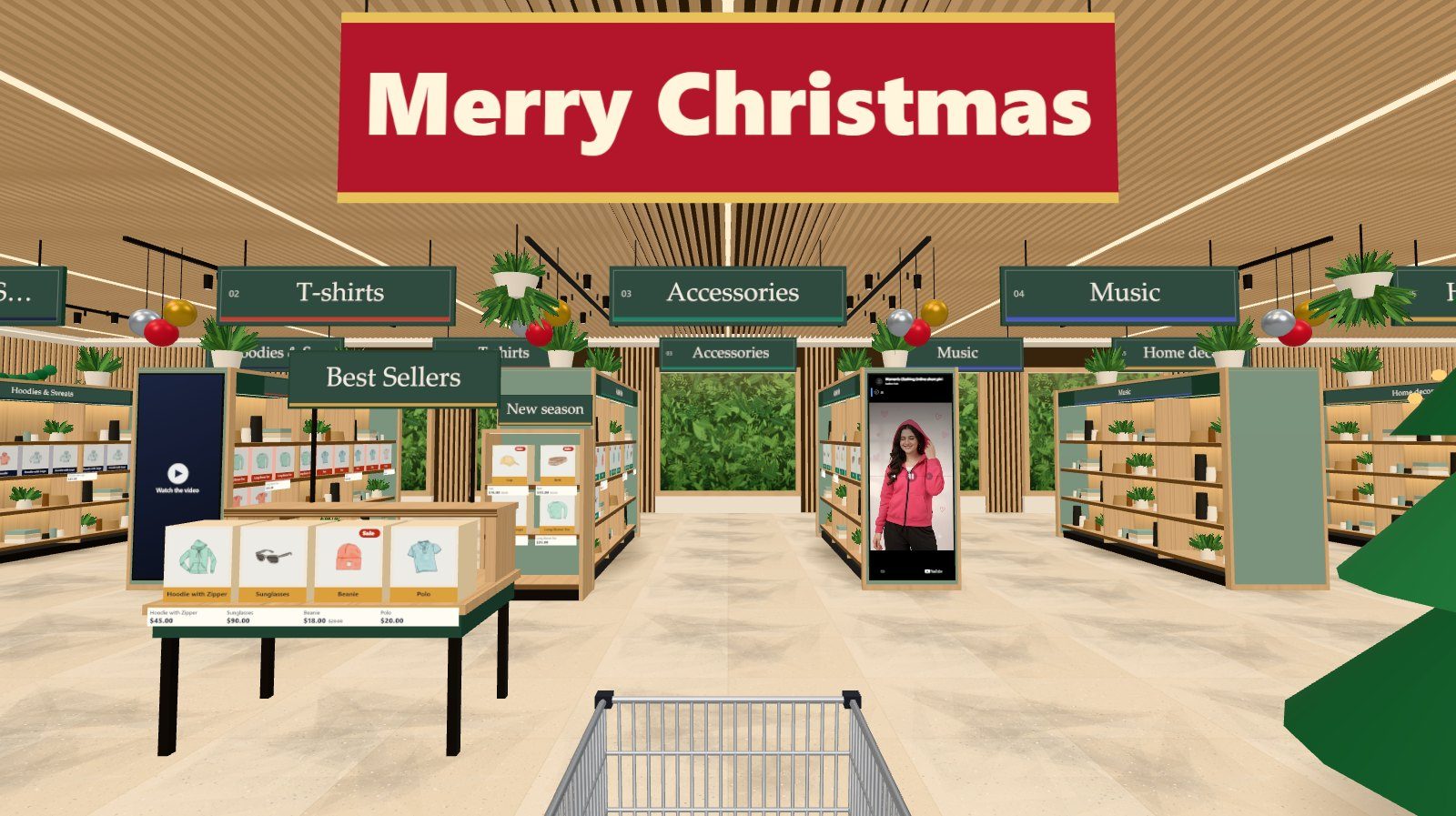
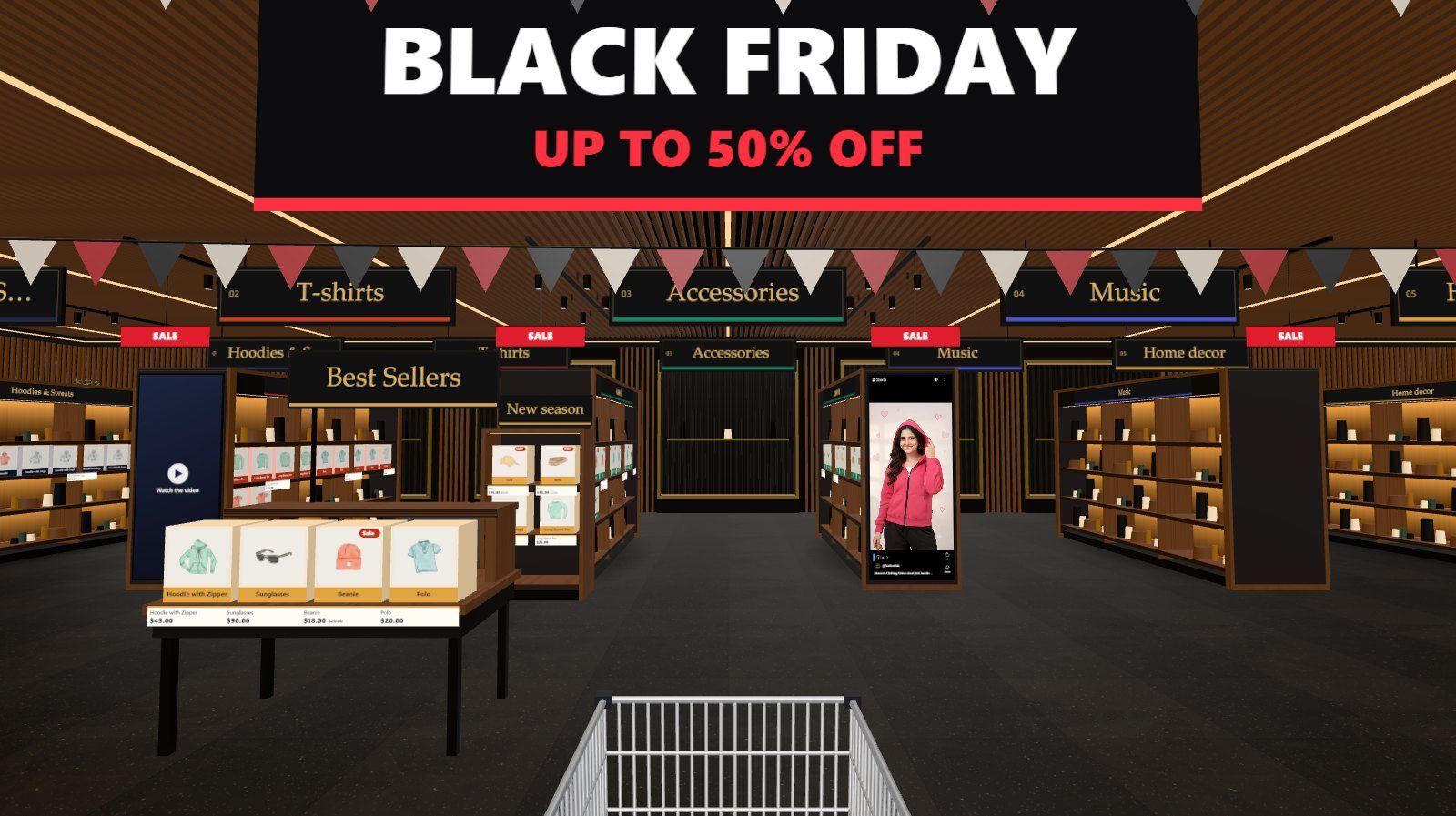

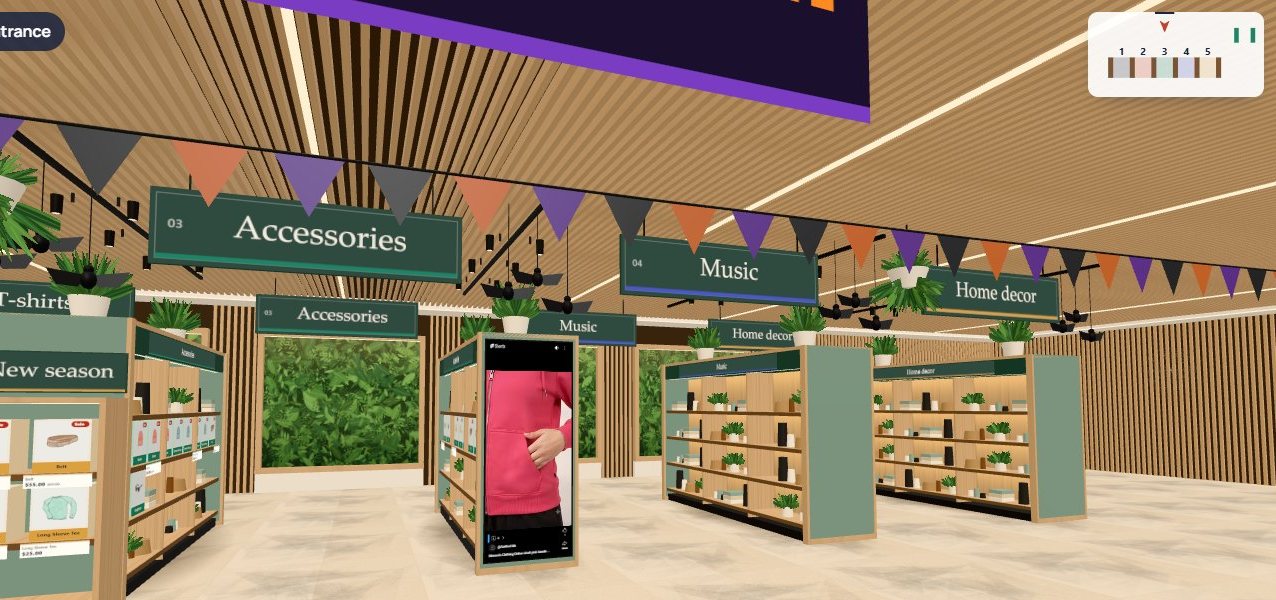
The decorations sit on top of the skin you use, so Boutique, Noir, Library or any other interior keeps its own look. Wall posters and TV screens keep their places: the decorations take the free wall spots.
Switch a season on#
WooCommerce
- Aisleza → Merchandising → Seasonal.
- Choose Christmas, Black Friday, Eid or Halloween.
- Optionally type a Banner line (up to 40 characters). Press Save merchandising.
Shopify Coming soon
- Apps → Aisleza 3D Store → Seasonal decorations.
- Choose the Season and, optionally, a Banner line. Save the page.
Wix
- In your site’s dashboard: Apps → Aisleza 3D Store → Merchandising → Seasonal decorations.
- Choose the Season and, optionally, a Banner line. Press Save.
BigCommerce Coming soon
- In your control panel, open Apps → My apps → Aisleza 3D Store → Seasonal decorations.
- Choose the Season and, optionally, a Banner line. Press Save.
Magento
- In the Magento admin, open Aisleza → Pro → Seasonal decorations.
- Choose the Season and, optionally, a Banner line. Press Save Config.
PrestaShop
- In the PrestaShop back office, open Aisleza, then the Seasonal tab under the free settings.
- Choose the Season and, optionally, a Banner line. Press Save under the Pro panels.
OpenCart
- In the OpenCart admin, open Aisleza, then the Seasonal tab under the free settings.
- Choose the Season and, optionally, a Banner line. Press Save Pro settings.
Shopware
- In the Shopware admin, open Content → Aisleza, then the Seasonal tab below the free settings.
- Choose the Season and, optionally, a Banner line. Press Save Pro settings.
Squarespace
- In your Aisleza account, open Squarespace and press Pro settings next to your site.
- Under Seasonal decorations, choose the Season and, optionally, a Banner line. Press Save: shoppers see it within a few minutes.
The banner line#
- Christmas: the banner over the entrance reads your line. Empty: Merry Christmas.
- Black Friday: your line appears under BLACK FRIDAY on the banner and on the sale posters. Empty: Up to 50% off.
- Eid: the banner reads your line. Empty: Eid Mubarak.
- Halloween: the banner reads your line. Empty: Happy Halloween.
Switch it off#
Choose None and save. The store goes back to the skin alone. Nothing else changes, so you can switch a season on again next year in a click.
Speed#
The decorations are built from simple shapes merged into a few draw calls, so phones keep the same smooth frame rate with a season on.