Docs › Merchandising
Promo table
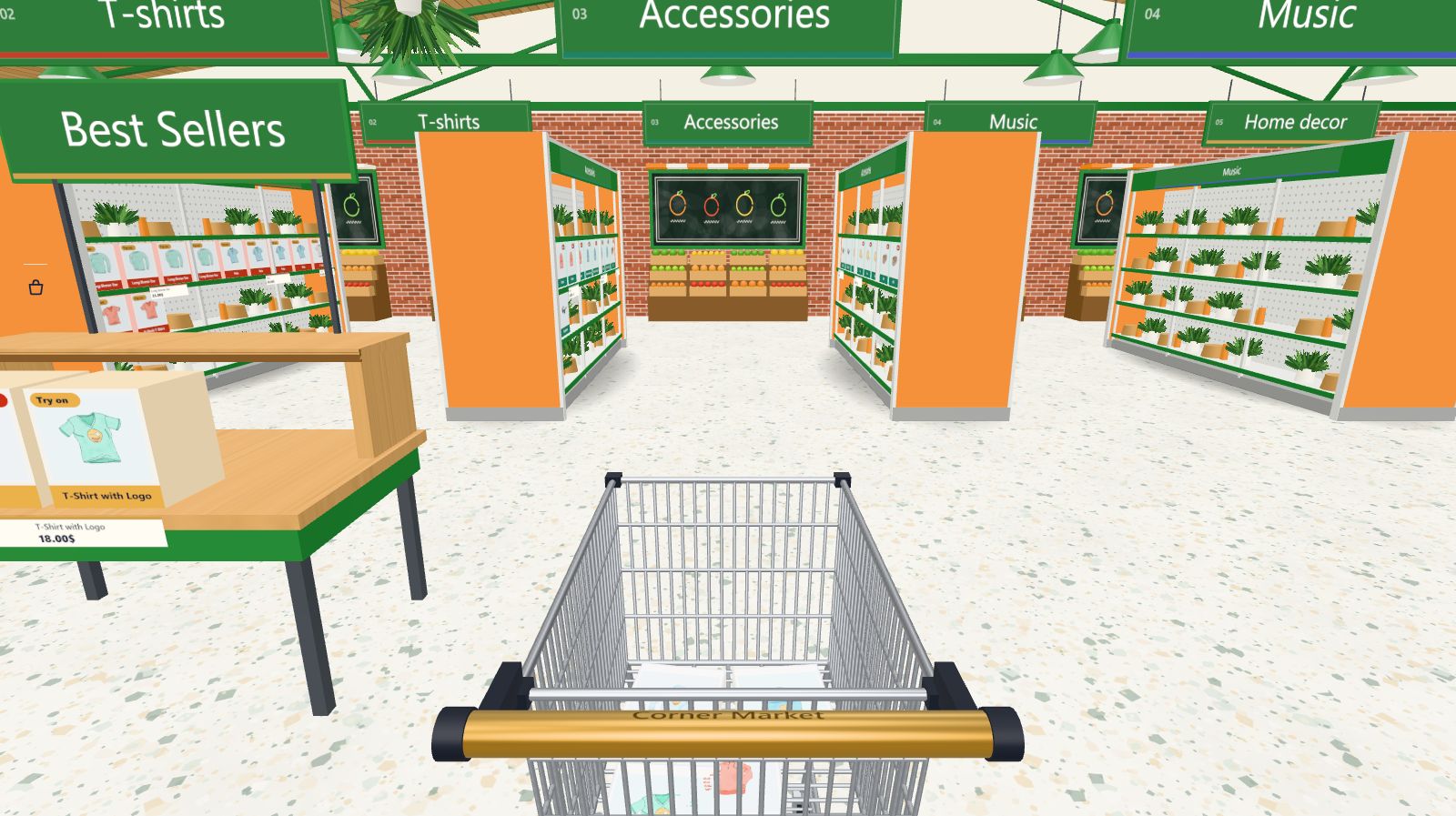
A table just inside the doors with up to 8 products and an optional headline.
Every Pro planThis feature is part of Aisleza Pro. See the plans.
Set it up#
- Aisleza → Merchandising → Promo table.
- Type an optional headline, like “New season” or “Best sellers”. It hangs over the table.
- Search and add up to 8 products.
- Press Save merchandising.
No products means no table: remove them all to take the table away.
How it looks#
The table stands to the left of the walk-in, a few metres inside the store, with a front row and a raised tier, centred. Every product is clickable like on a shelf.
Still stuck? Ask in the store (Ava knows the controls) or write to support@aisleza.com. Last updated 2 November 2026.