Golden box
A coupon hunt in your store: a glowing golden gift box hides at the foot of a shelf, and the shopper who finds it gets your discount code.
Every Pro planThis feature is part of Aisleza Pro. See the plans.
How it works#
A golden gift box with a red ribbon hides on the floor at the foot of a shelf, in a random aisle (or the one you choose), somewhere along it. It glows and turns gently when a shopper comes near. When they click it, a celebration opens with your message and coupon code, and a Copy code button. On WooCommerce there is also Apply to my trolley, which puts the coupon straight into their cart.
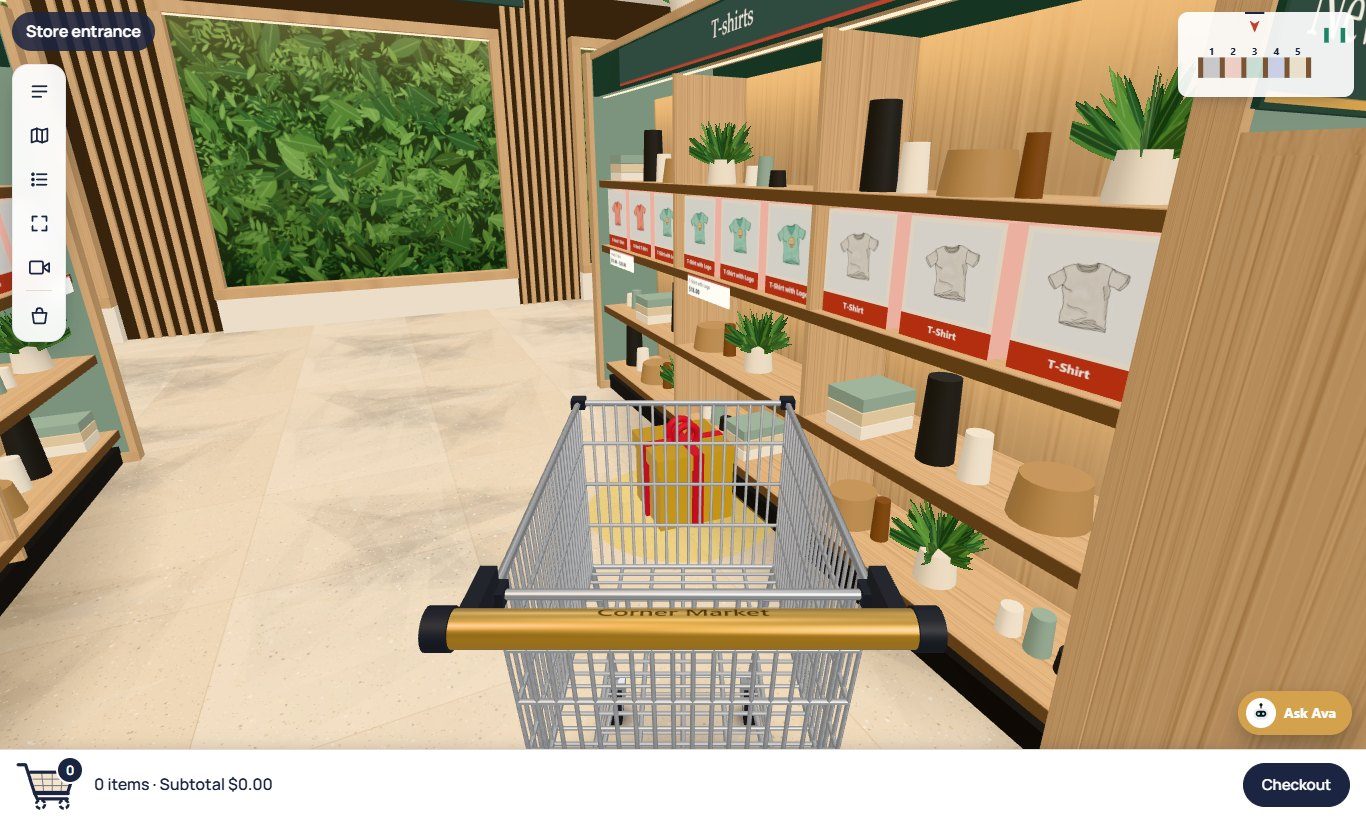
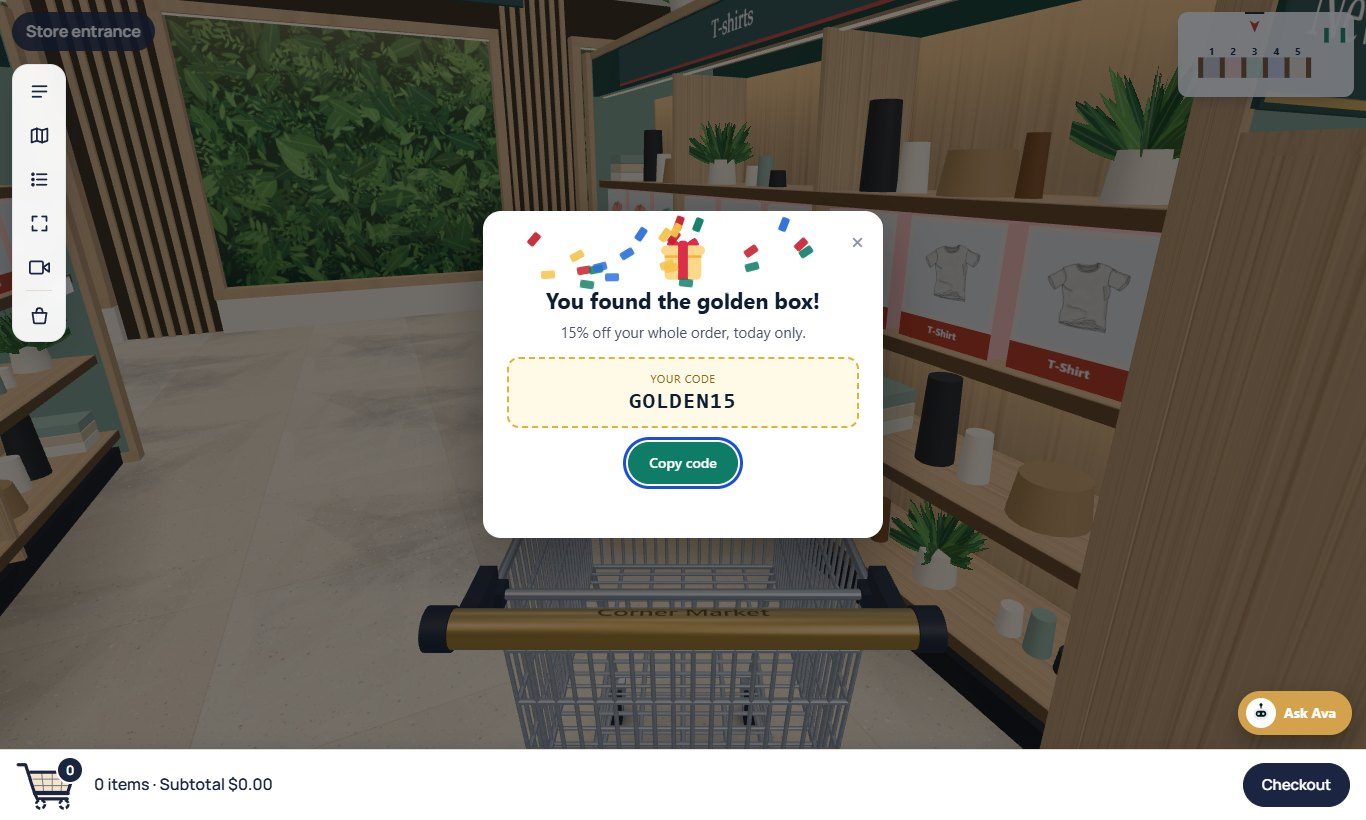
Once someone finds it, the box stays away on their device for the number of days you choose, so the hunt stays special.
Set it up#
- Create the coupon in your shop first, with the discount you want. Because the code is shown in the shopper’s browser, treat it as a public promotion: give the coupon a usage limit or an end date.
- Turn on the golden box and enter the coupon’s code:
WooCommerce
Aisleza → Merchandising → Golden box. The page tells you whether WooCommerce knows the code (coupons: Marketing → Coupons). Press Save merchandising.
Shopify Coming soon
Apps → Aisleza 3D Store → Golden box: use a discount code from Discounts. Save the page.
Wix
Apps → Aisleza 3D Store → Merchandising → Golden box: use a coupon from Wix Stores (Marketing → Coupons). Press Save.
BigCommerce Coming soon
Apps → My apps → Aisleza 3D Store → Golden box: use a coupon code from Marketing → Coupon Codes. Press Save.
Magento
Aisleza → Pro → Golden box: use a cart price rule with a specific coupon (Marketing → Cart Price Rules). Press Save Config.
PrestaShop
Aisleza → Golden box tab: use a cart rule code (Catalog → Discounts). Press Save under the Pro panels.
OpenCart
Aisleza → Golden box tab: use a coupon from Marketing → Coupons. Press Save Pro settings.
Shopware
Content → Aisleza → Golden box tab: use a promotion code (Marketing → Promotions). Press Save Pro settings.
Squarespace
In your Aisleza account, Pro settings for your site → Golden box: use a discount code from Commerce → Discounts. Press Save.
Settings#
| Setting | What it does |
|---|---|
| Title | The headline when the box is found. Empty: You found the golden box! |
| Message | One line under the title, such as 15% off your order, today only. |
| How often it appears | The share of visits that get a box, from 5% to 100%. Lower makes it rarer and more exciting. |
| Aisle | 0 hides it in a random aisle on every visit; 1 is the first aisle from the left. |
| Found it? Hide it for | Days the box stays away on a device after it was found. 0 brings it back on the next visit. |
Good ideas#
- A weekend hunt: 30% of visits, 20% off, a coupon that ends on Sunday.
- New collection launch: put the box in the new aisle, so shoppers walk past the new products to find it.
- Social media: “There’s a golden box hidden in our 3D store this week. Find it for 15% off.”