Docs › Your shoppers
Camera views
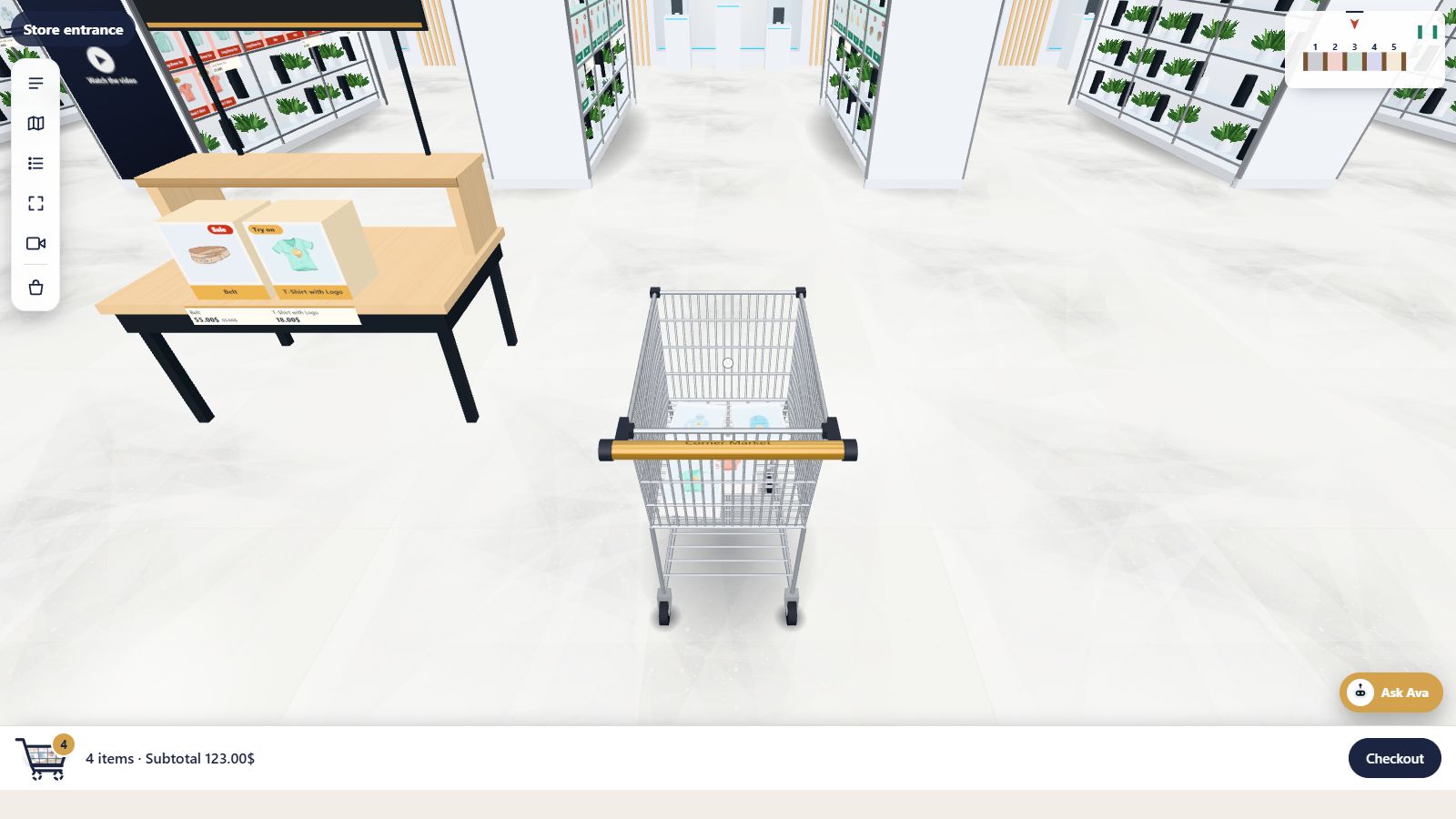
Classic view, over the trolley, or walk freely: three ways for shoppers to see the store.
Every Pro planThis feature is part of Aisleza Pro. See the plans.
The three views#
| View | What shoppers see |
|---|---|
| Classic view | The trolley handle in front, the aisles ahead. The default |
| Over the trolley | The camera above and behind the trolley, so shoppers see the whole trolley and where they’re steering |
| Walk freely | No trolley in sight; a clean view for browsing |
Switching#
Shoppers press the camera button in the toolbar, or V on a keyboard, to move to the next view. The button’s label says which view is active and which comes next.
In every view the cart works the same: products go in the trolley and the cart bar shows the count and subtotal.
Setup#
Nothing to set up: camera views are on for every Pro plan.
Still stuck? Ask in the store (Ava knows the controls) or write to support@aisleza.com. Last updated 2 November 2026.