Docs › Aisleza Pro
Branding
Your logo on the shop front, above the doors and on the trolley, plus sign colours and font, on top of any skin.
Every Pro planThis feature is part of Aisleza Pro. See the plans.
Go to Aisleza → Branding.
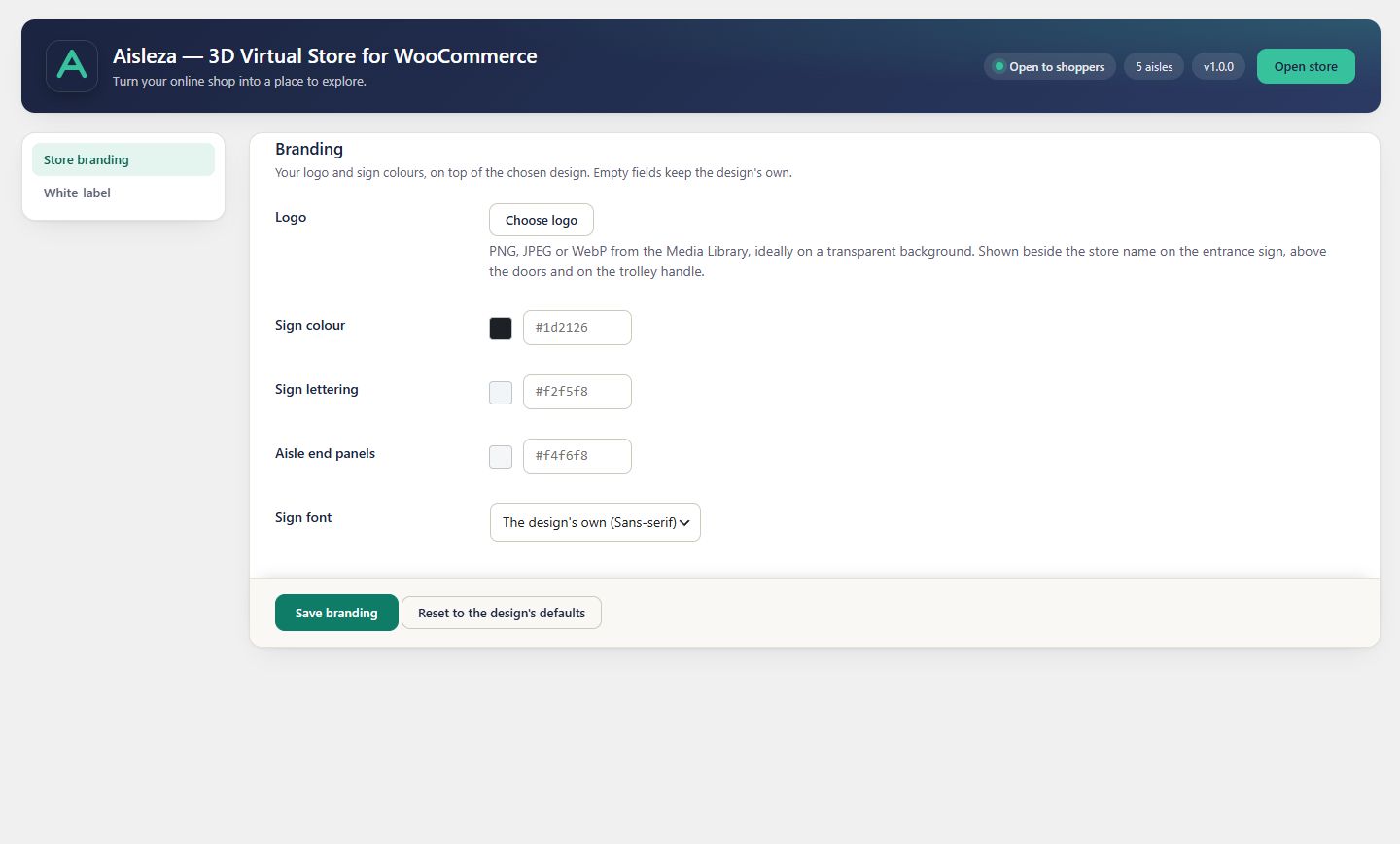
Logo#
Choose a PNG, JPEG or WebP from the Media Library, ideally on a transparent background. It’s shown beside the store name on the entrance sign, above the doors and on the trolley handle. SVG isn’t accepted, because SVG files can carry scripts.
Colours and font#
| Setting | Where it shows |
|---|---|
| Sign colour | Aisle signs and the shop front sign |
| Sign lettering | Text on the signs |
| Aisle end panels | The tall panels at the ends of the shelving |
| Sign font | Serif or sans-serif |
Each field shows the current skin’s own value as a placeholder. Leave a field empty to keep the skin’s look.
Reset#
Reset to the design’s defaults removes the logo and every colour and font override.
Still stuck? Ask in the store (Ava knows the controls) or write to support@aisleza.com. Last updated 2 November 2026.