Docs › Ava assistant
Set up Ava
Turn on the 3D shopping assistant, name it, and see what it does for shoppers.
Every Pro planThis feature is part of Aisleza Pro. See the plans.
Ava is a friendly robot in the 3D store. Shoppers ask it for anything; it answers from your products and walks them to the right shelf.
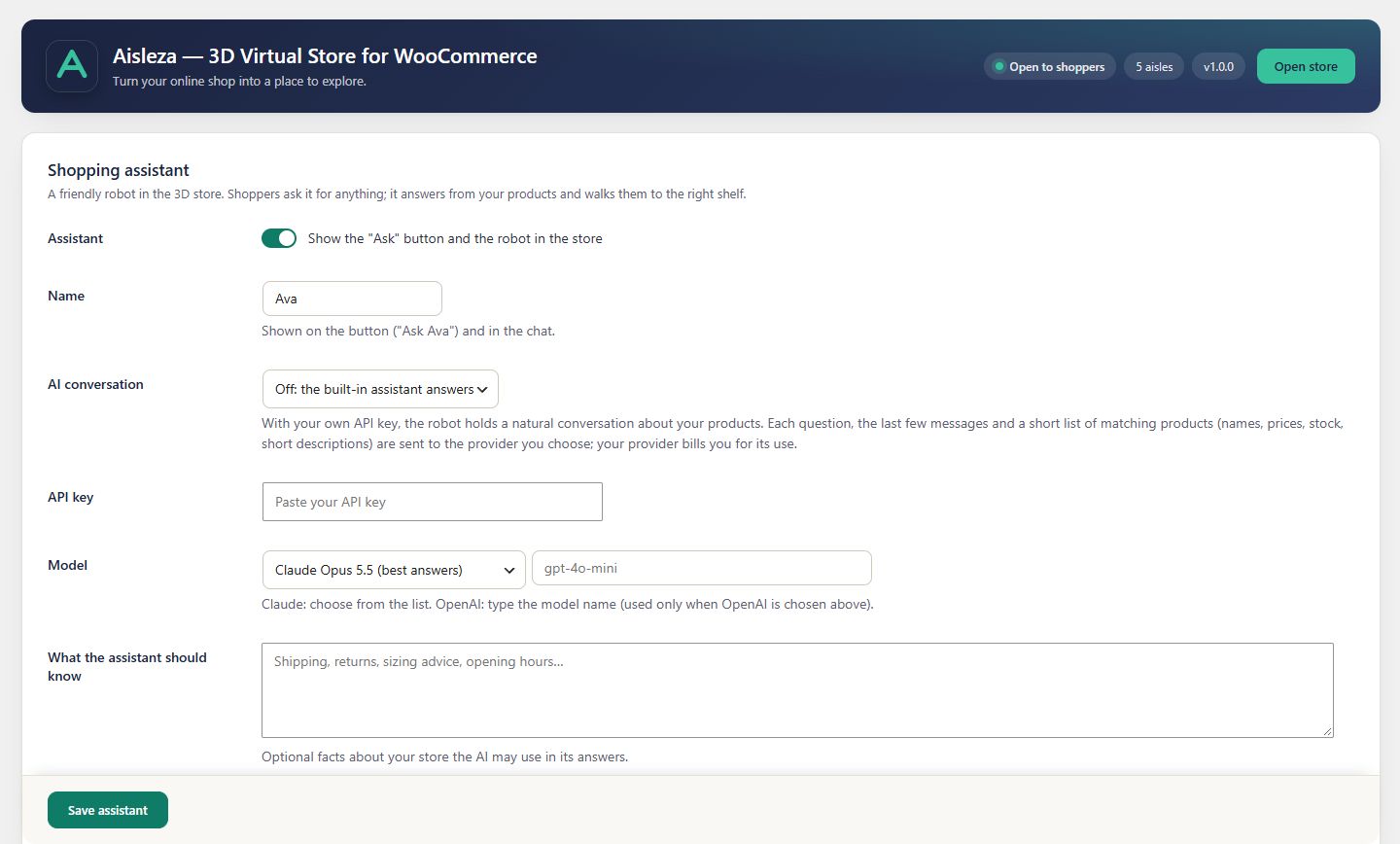
Turn Ava on#
- Go to Aisleza → Shopping assistant.
- Tick Show the “Ask” button and the robot in the store.
- Optionally change the name. It’s shown on the button (“Ask Ava”) and in the chat.
- Press Save assistant.
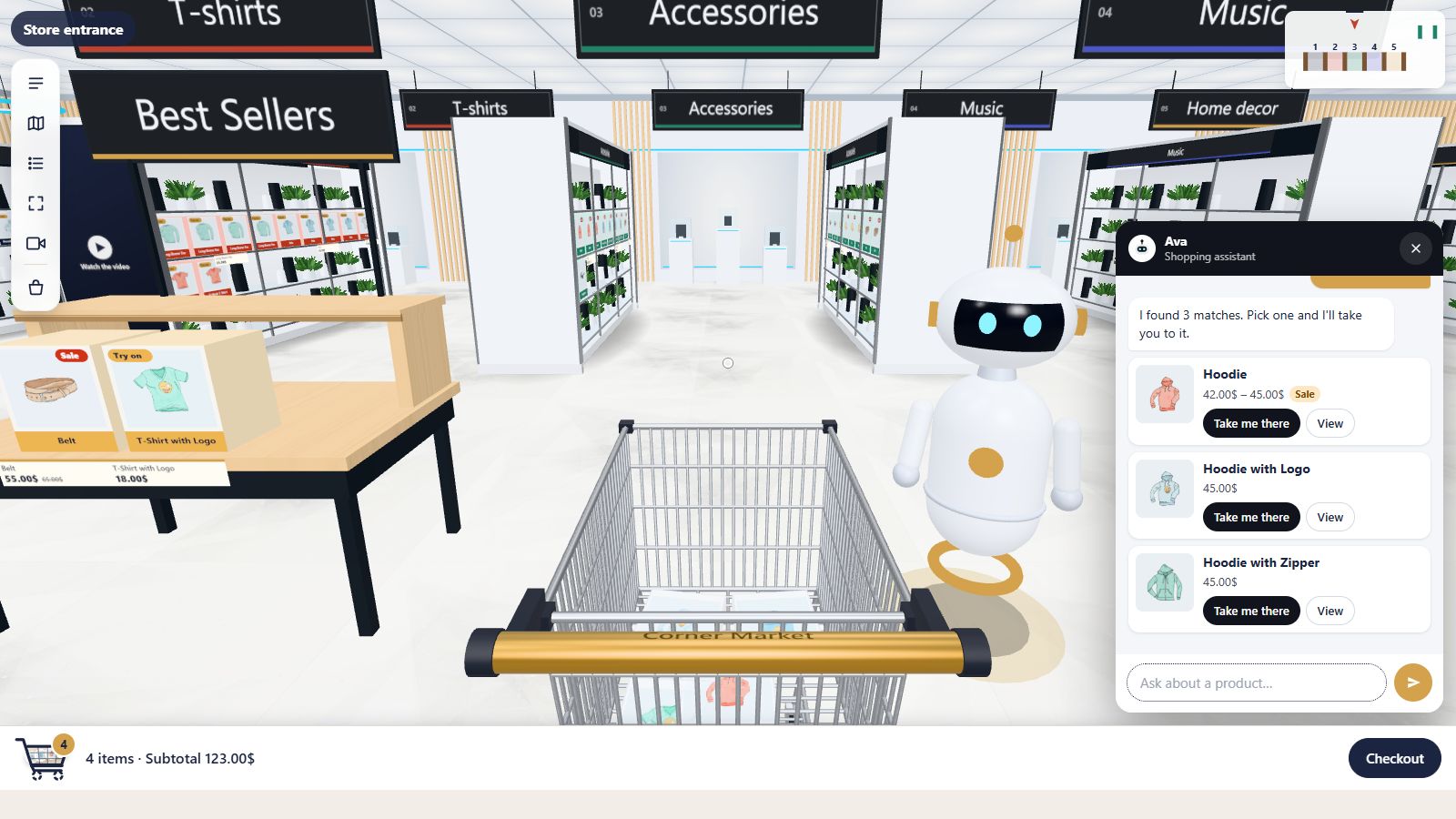
What shoppers see#
- An Ask button in the bottom-right corner of the store.
- A chat panel with suggestion chips and a box: “Ask about a product…”.
- The robot, standing in the store and moving when it guides.
Take me there#
Every product Ava suggests has Take me there and View. Take me there sends Ava walking through the store on a route around shelves and displays, saying “Follow me!”. At the shelf a big arrow marks the product.
Ava · shopping assistant
any hoodies under 50?
I found 3 matches. Pick one and I’ll take you to it.
Take me thereView
Follow me!
Here’s Hoodie.
Search moves into Ava#
With Ava on, the toolbar’s product search moves into the assistant, so there’s one clear place to ask.
Next#
- What shoppers can ask
- AI conversations (Business and Agency)
Still stuck? Ask in the store (Ava knows the controls) or write to support@aisleza.com. Last updated 2 November 2026.